
Add medicine information
Start with a prescription, package, photo, pasted text, or manual entry instead of retyping every field from scratch.
Ruxum helps an elderly parent, adult children, and trusted Rukshaks keep the medicine routine visible—from adding a prescription and showing reminders to recording outcomes, noticing low stock, and preparing the next refill handoff.
Ruxum helps your family organize medicine information, reminders and refill responsibilities. Use the current instructions from the prescriber or pharmacist as the reference. If a prescription, package, scanned suggestion or older family record disagrees, ask the prescriber or pharmacist to clarify it before updating the plan. Do not use Ruxum to decide to start, stop, substitute or change a medicine or dose.
A medicine alarm can prompt one person. Ruxum places that reminder inside a shared care network so the family can also see the surrounding routine, ownership, exceptions, stock risk, and health context.
Start with a prescription, package, photo, pasted text, or manual entry instead of retyping every field from scratch.
OCR-assisted suggestions remain suggestions. A person reviews the extracted information before it becomes part of the care plan.
The Senior can see medicine reminders alongside the next check-in and other care priorities in a simpler role-aware view.
A simple taken outcome becomes part of the daily care picture without claiming independent proof of ingestion.
Optional stock and threshold settings can bring refill risk forward before the family discovers an empty pack.
A saved preferred chemist can receive a prepared WhatsApp request. The family completes the purchase outside Ruxum.
Medicine details often arrive as a paper prescription, a package, a photograph, or a message. Ruxum supports those practical starting points while keeping a human confirmation step.
Scans can misread medicine names, strengths and instructions. Compare every suggested field with the original document and ask a pharmacist or prescriber about anything unclear. A reminder is a prompt, and a recorded “taken” status is a person's report—not independent confirmation that the medicine was taken correctly.
Include prescription medicines, non-prescription medicines, vitamins and supplements when discussing the list with a health professional. Keep the latest confirmed instructions available for appointments and agreed family handoffs. A missing entry is not evidence that a medicine, allergy or condition is absent.
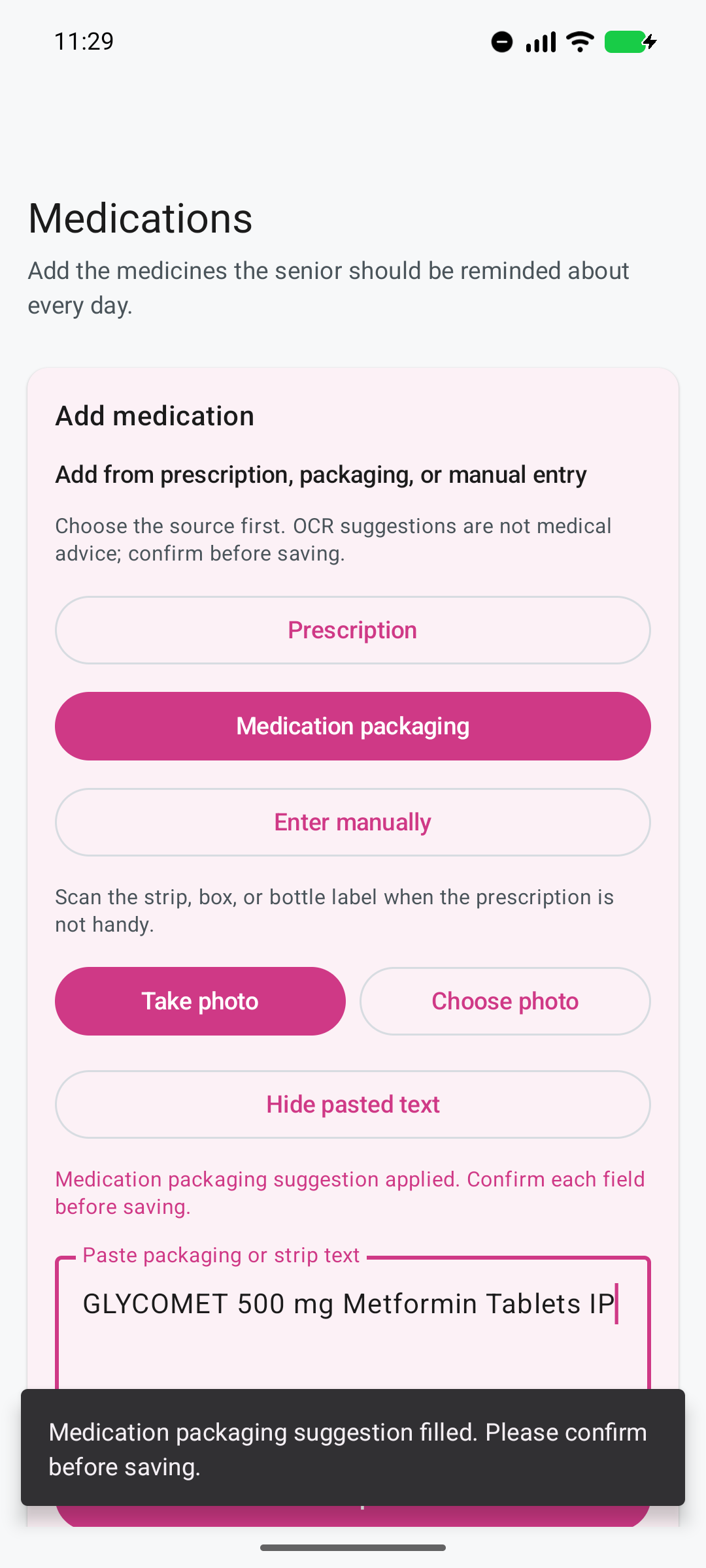
The Family Admin chooses the source that matches what is already in hand.
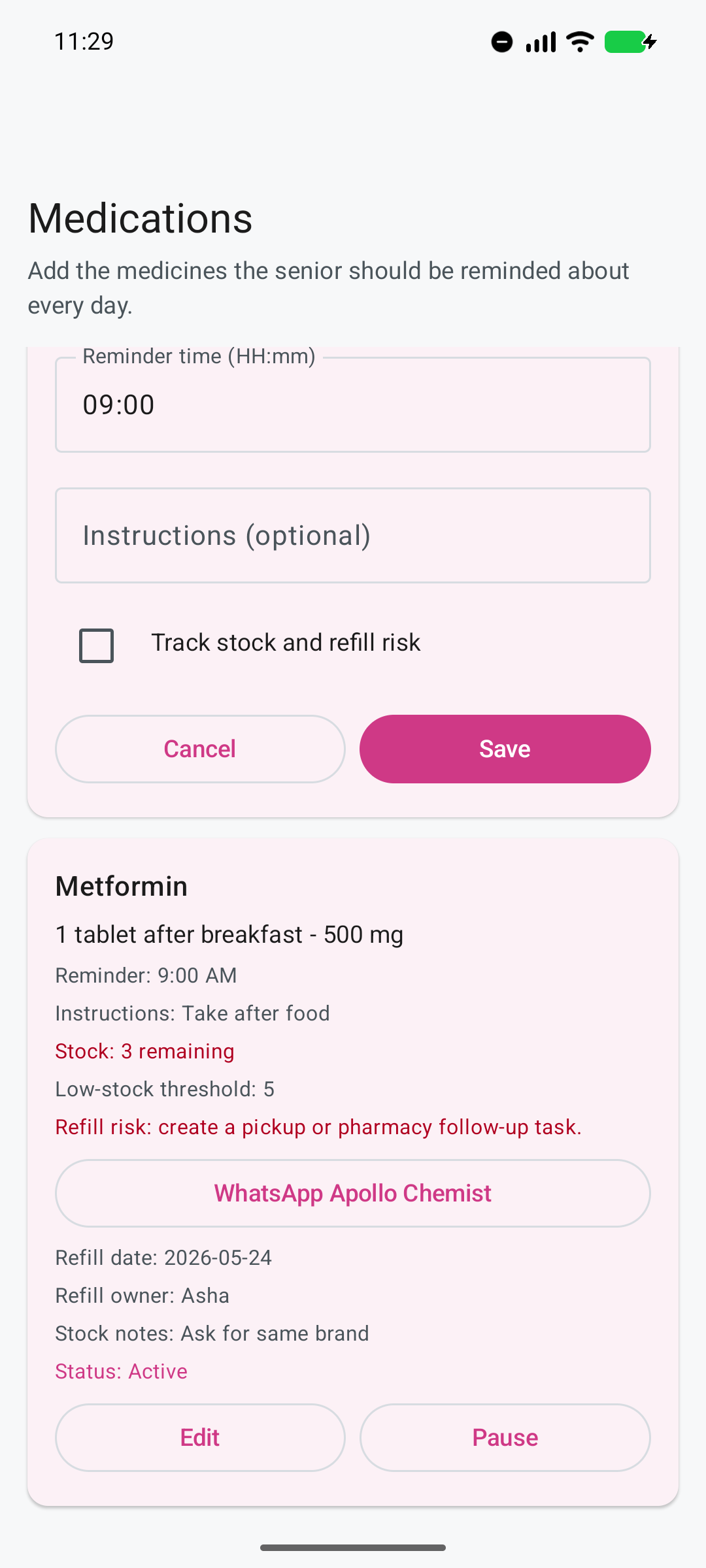
Ruxum prepares the handoff; the chemist and family handle fulfilment outside the app.
When optional stock tracking is used, the family can set a low-stock threshold and connect the alert to a preferred-chemist contact rather than leaving it as another warning with no owner.
Ruxum can prepare a WhatsApp request for your saved chemist. Review the message before sending it. The pharmacy confirms the prescription requirements, product, price, availability and delivery outside Ruxum. Sending the request does not confirm supply, payment or delivery, and Ruxum does not choose a substitute medicine for you.
The medicine list can sit alongside allergies, conditions, treating-doctor details, preferred hospital, insurance notes, identity-document notes, and recent reports in the Ruxum Health Packet.
Ruxum organizes information supplied by the family. It does not diagnose, prescribe, change a treatment plan, dispense medicines, or replace a doctor or pharmacist.
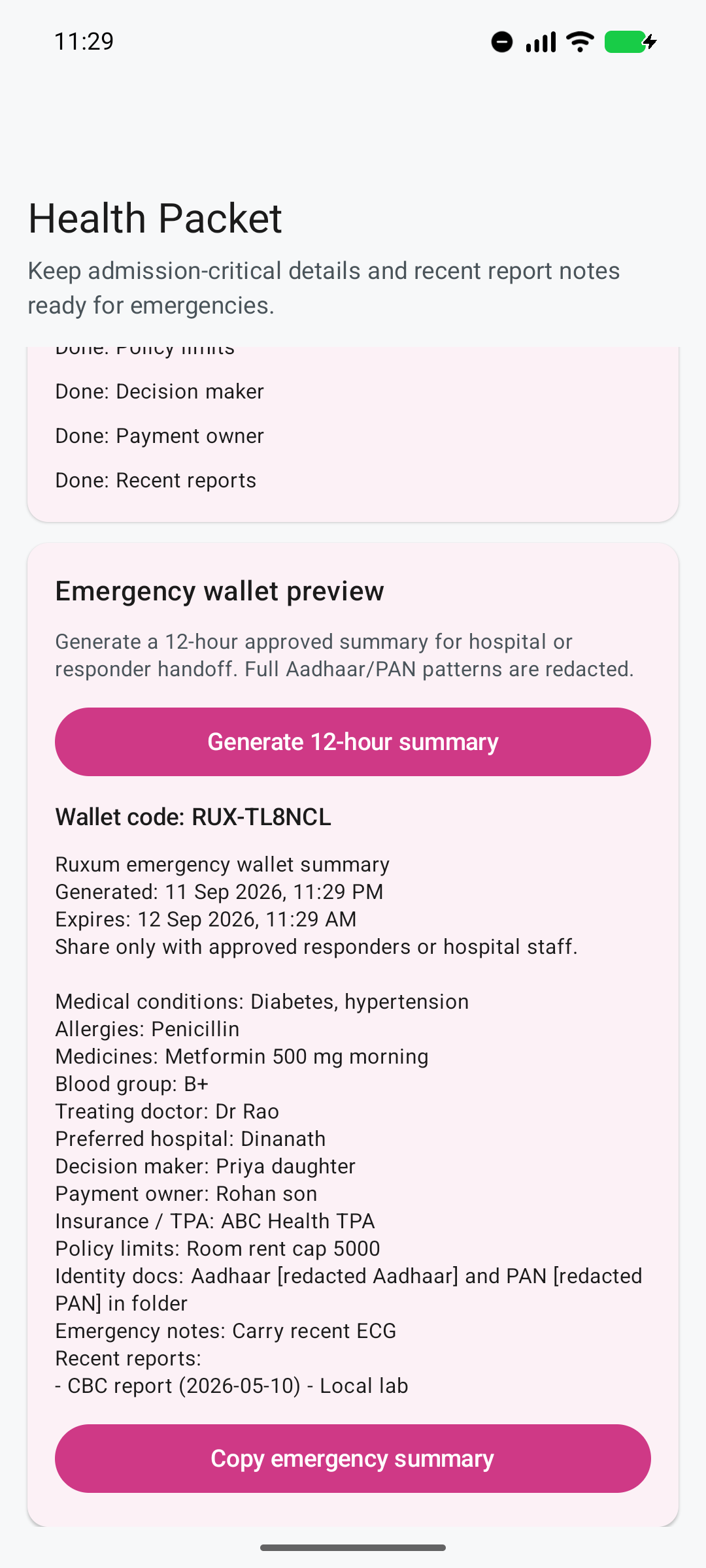
Create a dated, copyable summary for an agreed handoff. The 12-hour expiry label does not erase shared copies. Identity-pattern masking is limited to identity-document notes; review the whole summary before sharing.
Yes. A Family Admin can organize the medicine plan and view it within the shared family care network. The Senior sees a simpler reminder and outcome experience on their phone.
Ruxum can use a prescription, package, photo, or pasted text as a starting point. Scans can misread names, strengths and instructions. Compare every suggested field with the original document, and ask the prescriber or pharmacist about anything unclear before saving.
Optional stock tracking can flag low-stock risk and prepare a WhatsApp request for a saved preferred chemist. The pharmacy confirms requirements, product, price, availability and delivery outside Ruxum. Sending a request does not confirm an order, and Ruxum does not choose substitute medicines.
No. It is a care-coordination record supplied by a person using the app, not independent proof of ingestion or medical adherence.
Use the medicine organization checklist to agree who updates the record, follows up on refills and brings questions to the prescriber or pharmacist. Confirm unclear or conflicting instructions with them before changing the plan.
Connect that work to daily family routines, or use the free printable readiness checklist.
Product/content owner: Prasad Karnik. Sources checked: . This is non-clinical organization guidance; public sources do not constitute an independent clinical review of Ruxum. Editorial standards and corrections.
These sources support general record-keeping guidance, not Indian medicine approvals or claims that Ruxum verifies a treatment. Follow your own prescriber or pharmacist for treatment decisions.
Set up the Senior, one Family Admin, and the current medicine routine before adding the rest of the care network.