
1. Confirm the current list
Use prescriptions and labelled packaging, then verify the medicine name, strength, form, schedule, and instructions with the older person’s clinician or pharmacist.
Keep the current list, approved schedule, recorded outcomes, refill ownership, and questions for a clinician or pharmacist in one repeatable workflow. This checklist organizes follow-through; it does not provide medical advice.
Use prescriptions and labelled packaging, then verify the medicine name, strength, form, schedule, and instructions with the older person’s clinician or pharmacist.
Agree who maintains the household’s approved schedule and who checks unresolved items. Use the Senior-home timezone.
Use simple outcomes such as taken, skipped, snoozed, or needs review. Never convert an uncertain result into a guess.
Choose who checks stock, the lead time for contacting the usual pharmacy or clinician, and how the family records that the loop is closed.
Keep a short list for the clinician or pharmacist about changes, possible side effects, interactions, difficulties, or unclear instructions.
Update the family record only after a qualified professional changes the plan, then confirm reminders, labels, and the emergency summary match.
Ruxum can extract candidate text from medicine packaging. The app requires a person to review and confirm the fields before saving.
Packaging changes, photos can be incomplete, and OCR can be wrong. Ruxum does not identify pills, validate prescriptions, detect interactions, or approve medicine changes.
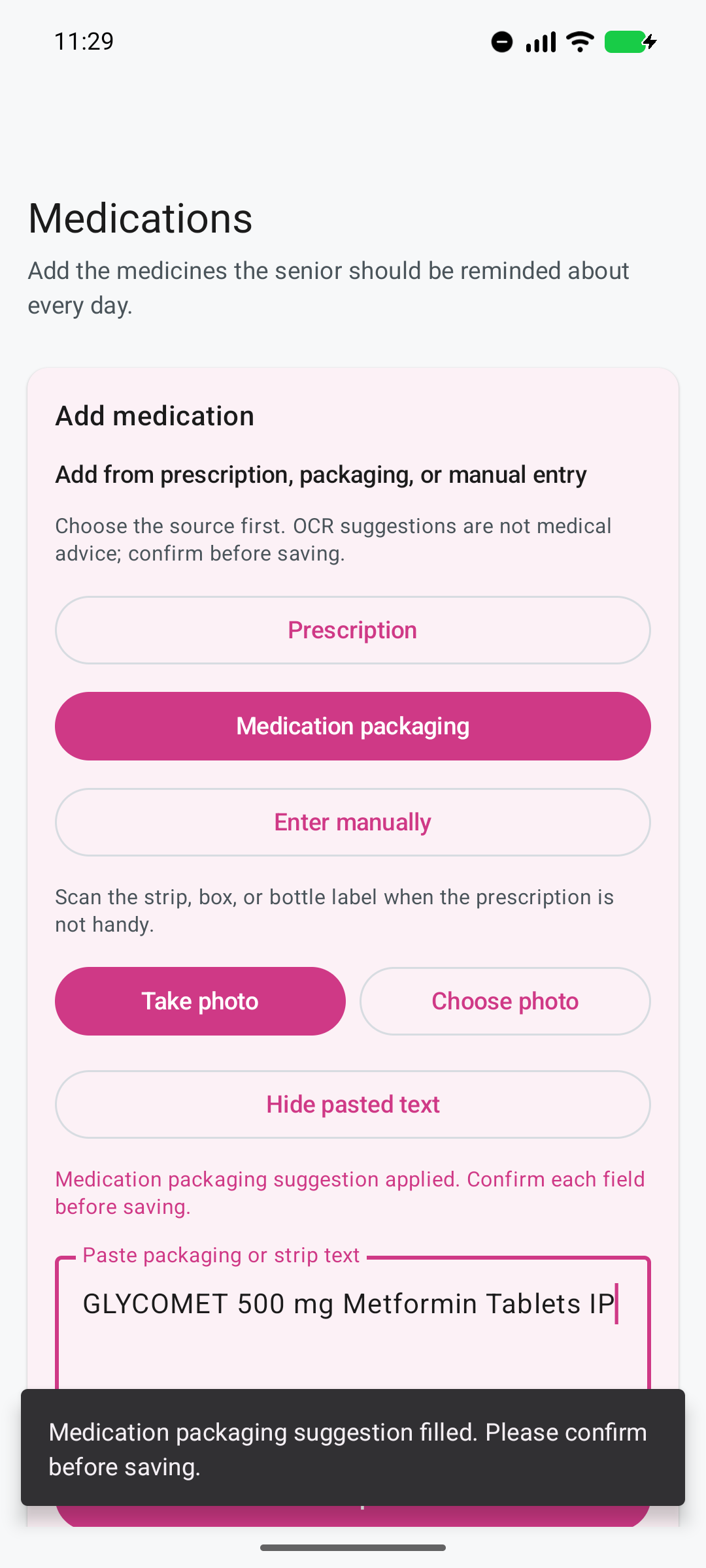
The fictional demonstration shows extracted fields waiting for review—not an autonomous medicine decision.
Public health guidance for carers recommends keeping medicines organised and involving a doctor or pharmacist when there are questions or several medicines. Read NHS medicines tips for carers as a general reference; follow the older person’s treating professionals and local instructions in India.
Coordinate the check-in around the approved medicine schedule.
Give each non-clinical handoff an owner and escalation path.
Ruxum can extract candidate text from packaging for confirmation, but packaging and OCR can be wrong. A person must verify the name, strength, form, and instructions before saving.
No. Ruxum does not diagnose, prescribe, recommend, or change medicines. Questions and changes belong with the treating clinician or pharmacist.
No. It records a reported outcome and is not independent proof of administration or adherence.
Bring every uncertainty, side effect, interaction, or proposed change to a qualified clinician or pharmacist.