
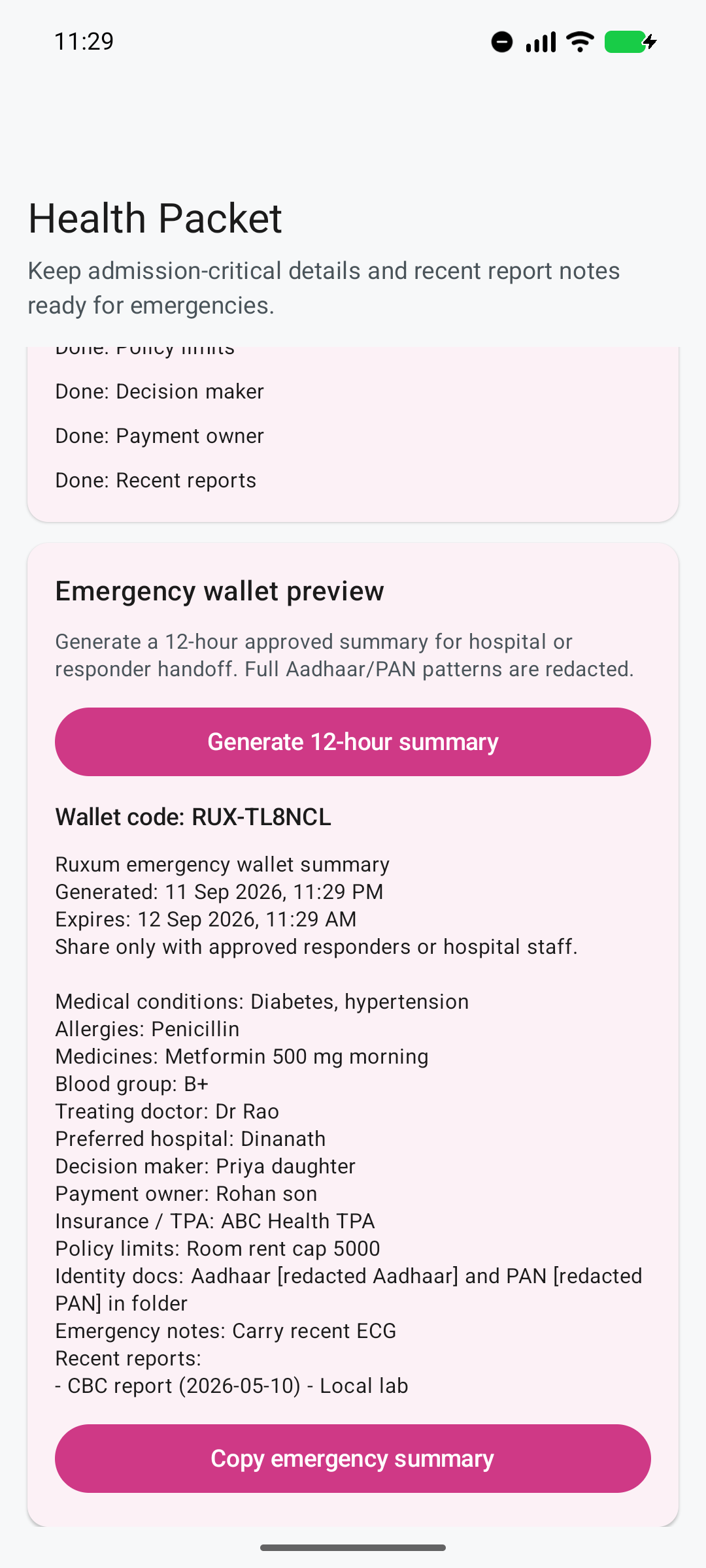
See what is ready and what is missing
The readiness view turns a vague intention to “keep the records handy” into a concrete family checklist.
Ruxum’s Health Packet helps a family organize the details that are difficult to reconstruct under pressure—medicines, allergies, conditions, doctor and hospital contacts, insurance notes, decision ownership, and recent report context.
A Family Admin can fill the packet gradually and see which information fields are complete or still missing. A filled field is not a verified clinical fact or confirmation that a hospital will accept the information.
The readiness view turns a vague intention to “keep the records handy” into a concrete family checklist.
The Health Packet is designed to support a human conversation with approved hospital staff or responders—not to make clinical decisions.
Add the information the family already knows, without waiting for an emergency.
Use the readiness checklist to close missing basics and keep details current.
Create a dated, copyable emergency summary. Its 12-hour expiry label does not erase copies or revoke access to shared text.
Review the summary and give it only to approved responders or hospital staff.
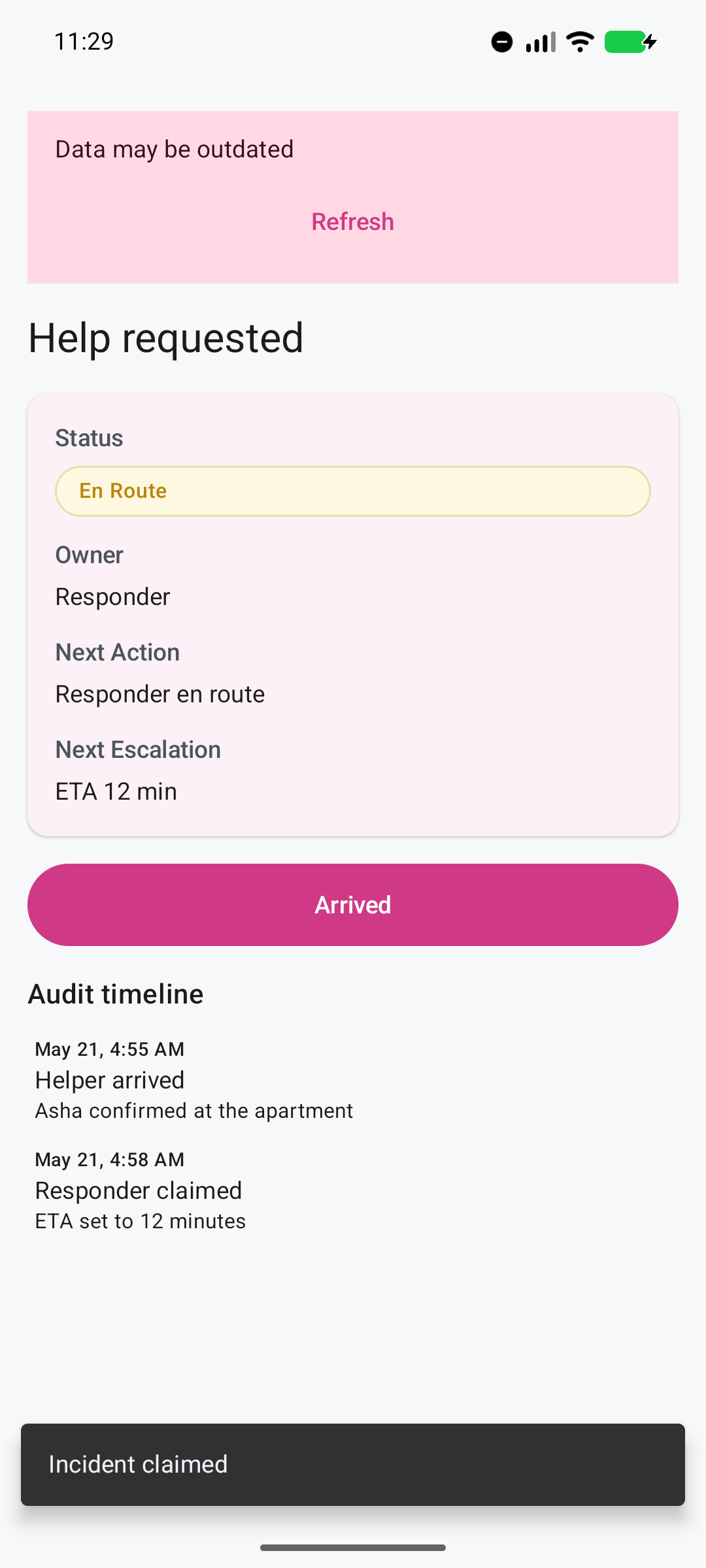
Ruxum can show who claimed a help request, their ETA, arrival, outcome, and escalation state to the family.
The Senior’s Get Help Now action and the family’s incident view can make ownership and follow-through visible while emergency services remain directly available.
The Health Packet contains information supplied by the family. Its completeness indicator does not verify the information, assess a person's health, or guarantee hospital admission. Leave uncertain details for confirmation rather than guessing. A recorded claim, ETA or arrival status helps the family follow a response; it is not an ambulance booking or a guarantee of professional care.
The Health Packet summary includes a generated time and a 12-hour expiry label. That label does not make copied text disappear or revoke a recipient's copy. Check that the information is current, remove details the recipient does not need, and share only with the people you intend to receive it. Once copied into a message or document, the information may remain there after the labelled time.
Ruxum masks recognizable full Aadhaar and PAN patterns in the identity-document notes used in the summary. This is not a guarantee that every identifier or sensitive detail has been removed. Review the whole summary before sharing it.
Redaction is a safeguard, not a substitute for review. The family should check the generated text, its recipient, and whether every detail is still accurate before sharing.
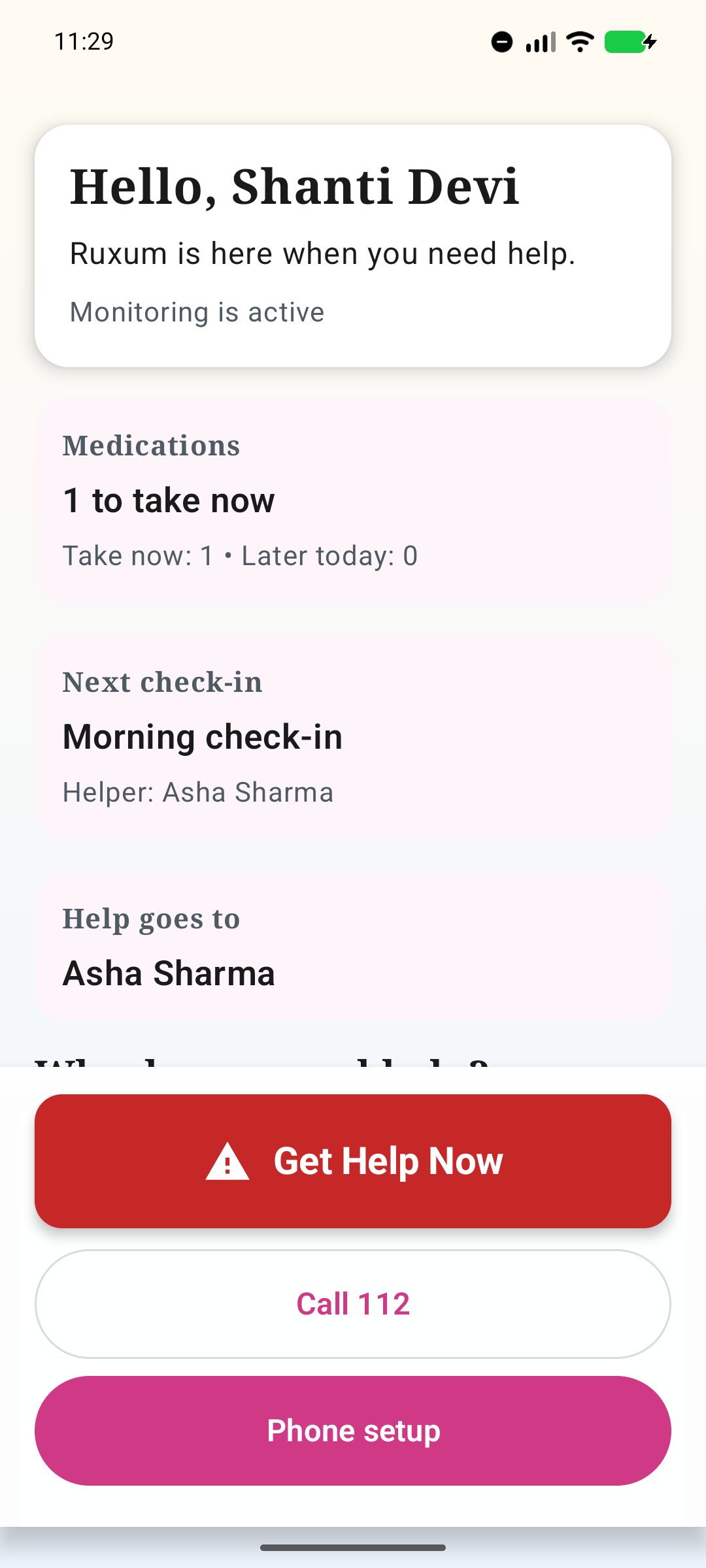
The Senior sees the immediate care priorities and urgent actions without navigating a dense family dashboard.
Start with current medicines, allergies, major conditions, blood group if known, treating doctor, preferred hospital, insurance or TPA notes, decision and payment contacts, identity-document availability, emergency notes, and recent report notes.
A Family Admin can generate a dated, copyable summary for an agreed hospital or responder handoff. Its 12-hour expiry label does not erase shared copies or revoke access. Check the information and recipient before sharing; the summary is not a verified clinical record or an instruction to the care team.
Ruxum masks recognizable full Aadhaar and PAN patterns in identity-document notes. This does not guarantee that identifiers or sensitive details elsewhere have been removed. Review the complete summary before sharing it.
No. For an immediate threat to life or safety in India, call 112 or the appropriate local emergency service. Do not wait for an app alert or family reply. Ruxum organizes family-supplied context; it does not diagnose, dispatch an ambulance, or guarantee a response.
Use the emergency information checklist and the printable family coordination packet to agree what is current, where it is held and who may receive it.
Keep the handoff connected to your remote family plan and appointment follow-through. For an immediate threat to life or safety in India, call 112, the national Emergency Response Support System, or the appropriate local emergency service. Do not wait for an app response.
Product/content owner: Prasad Karnik. Sources checked: . This is non-clinical organization guidance; public sources do not constitute an independent clinical review of Ruxum. Editorial standards and corrections.
Government of India, Ministry of Home Affairs: Emergency Response Support System — Official information about the national 112 emergency number. This does not imply a Ruxum dispatch integration or a guaranteed response time.
The app descriptions on this page explain family-supplied records and coordination status, not verified clinical records or medical assessment.
The packet can grow as the family confirms insurance details and adds recent report notes.