
Name the need
Record a doctor visit, diagnostic, pharmacy, transport, home-care, or other family-arranged service.
A doctor visit, diagnostic test, pharmacy request, transport need, or home-care service creates work before and after the event. Ruxum keeps the provider, timing, family handoff, status, outcome, report notes, and next follow-up in one shared care loop.
A calendar reminder says when something starts. Ruxum preserves the context and ownership that help a family finish the job.
Record a doctor visit, diagnostic, pharmacy, transport, home-care, or other family-arranged service.
Add the provider and scheduled time so the family is working from the same plan.
Note what Health Packet context the family intends to share with the approved provider.
Move the item through accepted, arrived, completed, could-not-complete, or cancelled states.
Preserve the result plus relevant report or prescription notes after the visit or service.
Record the next appointment and a follow-up prompt instead of leaving the next step in chat.
The Appointments & Services view is designed for family coordination around care that may be arranged through a clinic, lab, chemist, driver, or home-care provider.
Ruxum coordinates and records the family handoff. It does not currently book or fulfil third-party services through provider APIs.
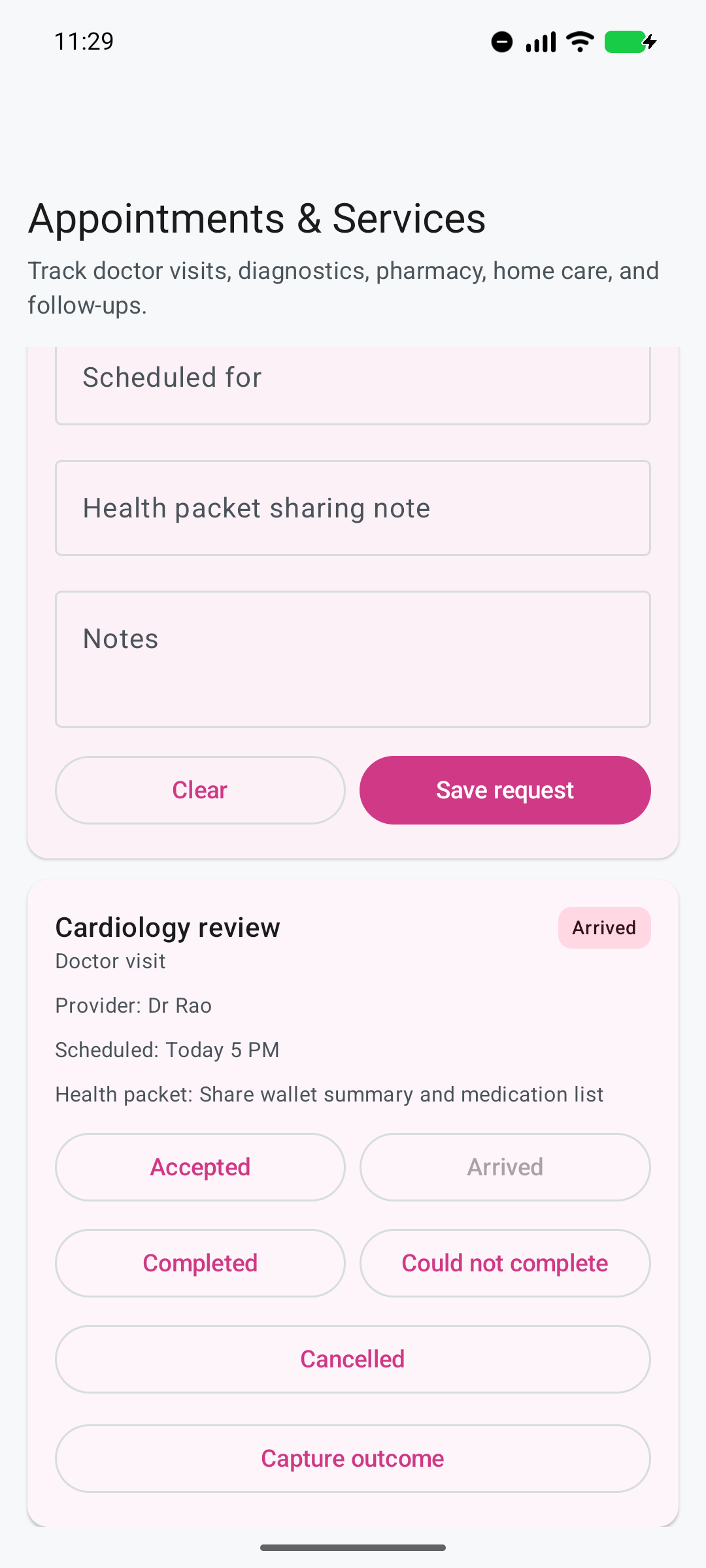
The screenshot shows fictional demonstration data from the current Android app.
What is needed, who is the provider, when is it scheduled, and who in the family is following it?
What health context, medicines, reports, questions, or logistics should be ready?
Was the request accepted, did the person arrive, and was the service completed or cancelled?
What was the outcome, what changed, and when does the family need to act again?
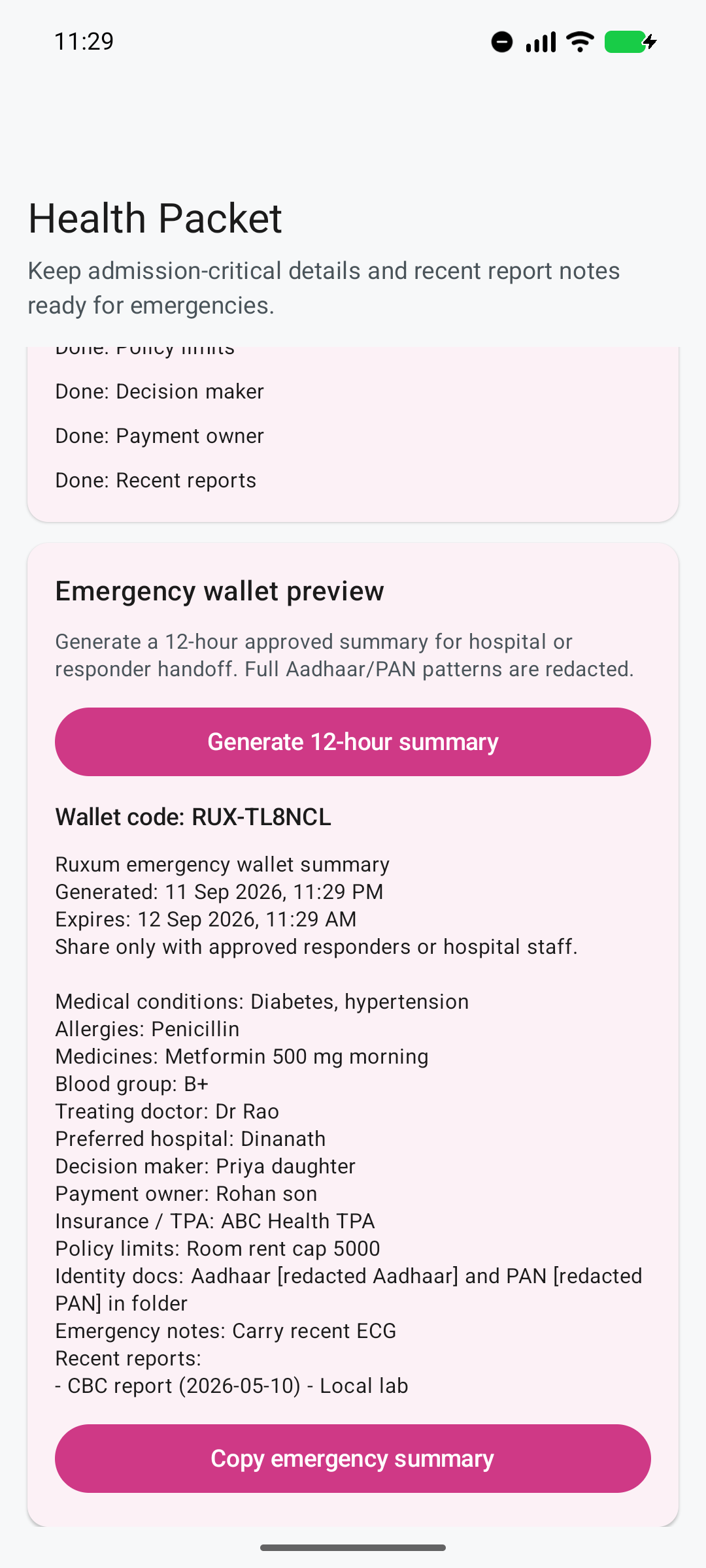
The family chooses what to record and share. The 12-hour expiry label does not erase shared copies. Identity-pattern masking is limited to identity-document notes; review the entire summary before sharing.
The Health Packet organizes family-supplied information that may matter during a visit, hospital admission, or approved responder handoff.
Ruxum organizes information supplied by the family. It does not verify medical records, diagnose a condition, or replace advice from a qualified clinician.
Adult children, siblings, and trusted local Rukshaks can work from one care item rather than reconstructing the event across calls, calendars, and message threads.
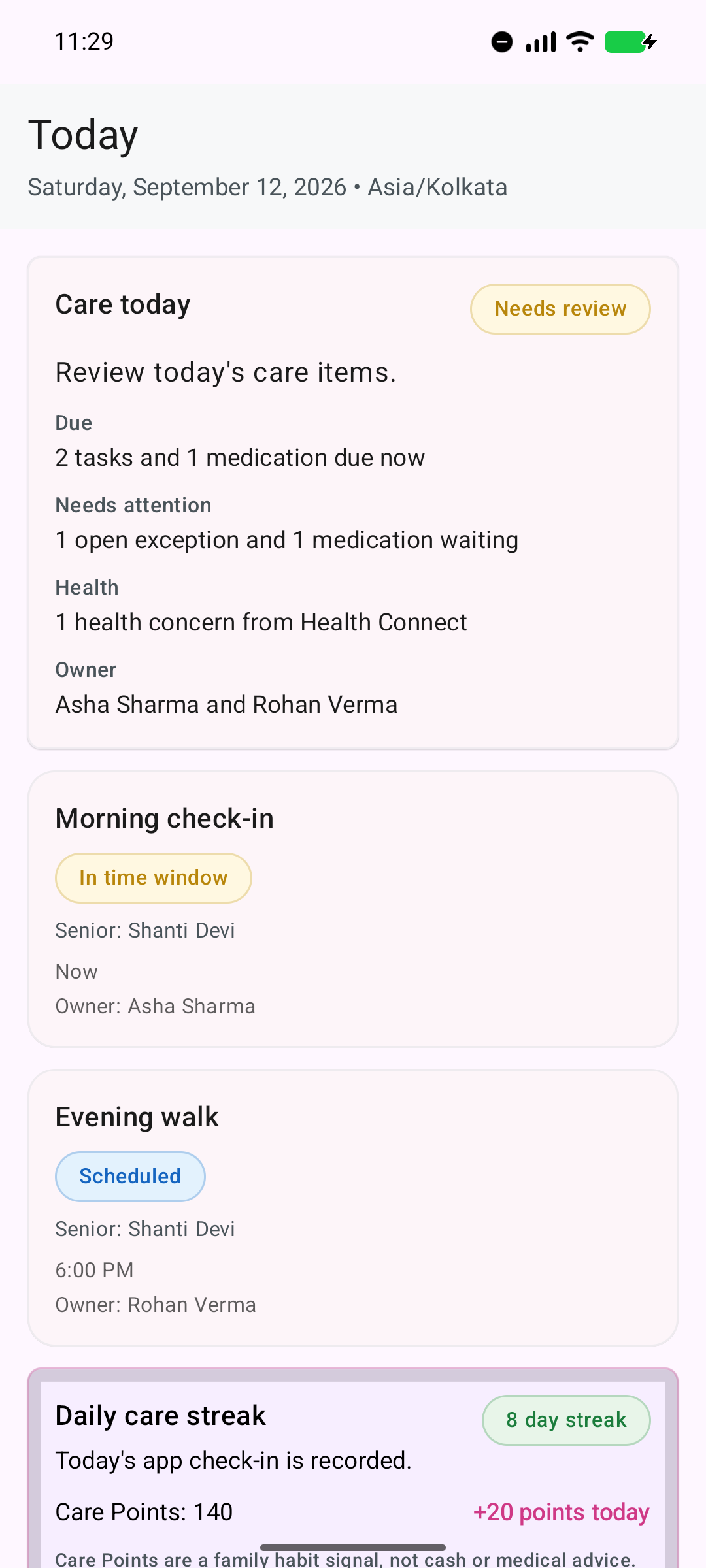
Appointments sit alongside routines, medicines, exceptions, and ownership instead of becoming a separate family spreadsheet.
Families should know exactly where Ruxum ends and the chosen care provider begins.
Ruxum does not currently discover, certify, rank, or recommend doctors or service providers.
Payment, booking, transport dispatch, pharmacy delivery, and home-care fulfilment occur outside Ruxum.
Appointment notes and Health Packet details are organizational aids, not diagnosis, treatment, or clinical advice.
A recorded status reflects information entered into Ruxum and is not independent proof that a service occurred.
The family controls what it records and shares with a provider, hospital, or responder.
For an immediate threat to life or safety, call 112 or the appropriate local emergency service.
Coordinate roles, routines, exceptions, and ownership when adult children or siblings live elsewhere.
Organize prescribed medicine details, reminders, outcomes, stock awareness, and refill handoff.
Prepare family-supplied health context and a dated summary for an agreed handoff. Review what you share; copied text does not erase itself.
Give trusted local helpers assigned work, visible status, lightweight response options, and a backup path.
Yes. A family can record the appointment type, provider, scheduled time, Health Packet sharing intent, notes, status, outcome, report or prescription notes, next appointment, and follow-up prompt in one care item.
Not currently. Ruxum coordinates the family’s request, handoff, status, outcome, and follow-up. Booking and fulfilment happen directly with the chosen third-party provider.
The family can capture an outcome, report or prescription notes, the next appointment date, and a follow-up prompt so the visit does not end as an isolated calendar event.
Yes. The Health Packet can organize medicines, allergies, conditions, doctor, hospital, insurance, identity-document notes, and recent report notes. A user can generate a dated summary for an agreed handoff. Its 12-hour expiry label does not erase copies, and Aadhaar/PAN pattern masking applies to identity-document notes only. Review the full summary before sharing.
Ruxum can organize doctor visits, diagnostics, pharmacy, transport, home care, and their follow-up. It does not certify, provide, or guarantee the third-party service.
Use the post-hospital coordination guide to give the paperwork, transport, calls and follow-up arrangements clear owners. The treating team provides clinical instructions; the family organizes practical follow-through. Keep the free coordination packet with the current plan.
Add its provider, scheduled time, family owner, handoff note, and the follow-up that should not be forgotten.