
Family Admin
Sets up the network, routines, assignments, permissions, contacts, and backup response path.
Ruxum helps adult children, siblings, and trusted local Rukshaks coordinate visits and daily care without running the household from a message thread. Assign the work, make its status visible, preserve notes, and decide who should respond when something is missed.
In Ruxum, “Rukshak” means a trusted support person who can own routine work around the Senior. It describes an app role—not a caregiver supplied or certified by Ruxum.
Sets up the network, routines, assignments, permissions, contacts, and backup response path.
Gets a simpler view of what matters now, the next check-in, the designated helper, and direct help actions.
Acts as the main local support person for assigned visits, tasks, and routine follow-through.
Gives the family another contact or escalation path when the primary person cannot respond.
Can participate in the shared care situation according to their role instead of receiving every operational screen.
Uses a separate urgent-response path for incidents that require claim, ETA, arrival, resolution, and escalation states.
The Family Admin can see the Senior, family members, helpers, and their current role or invite state in one network view.
Ruxum displays family-supplied identity and contact information. It does not independently verify that a person is qualified, available, trustworthy, or suitable for care work.
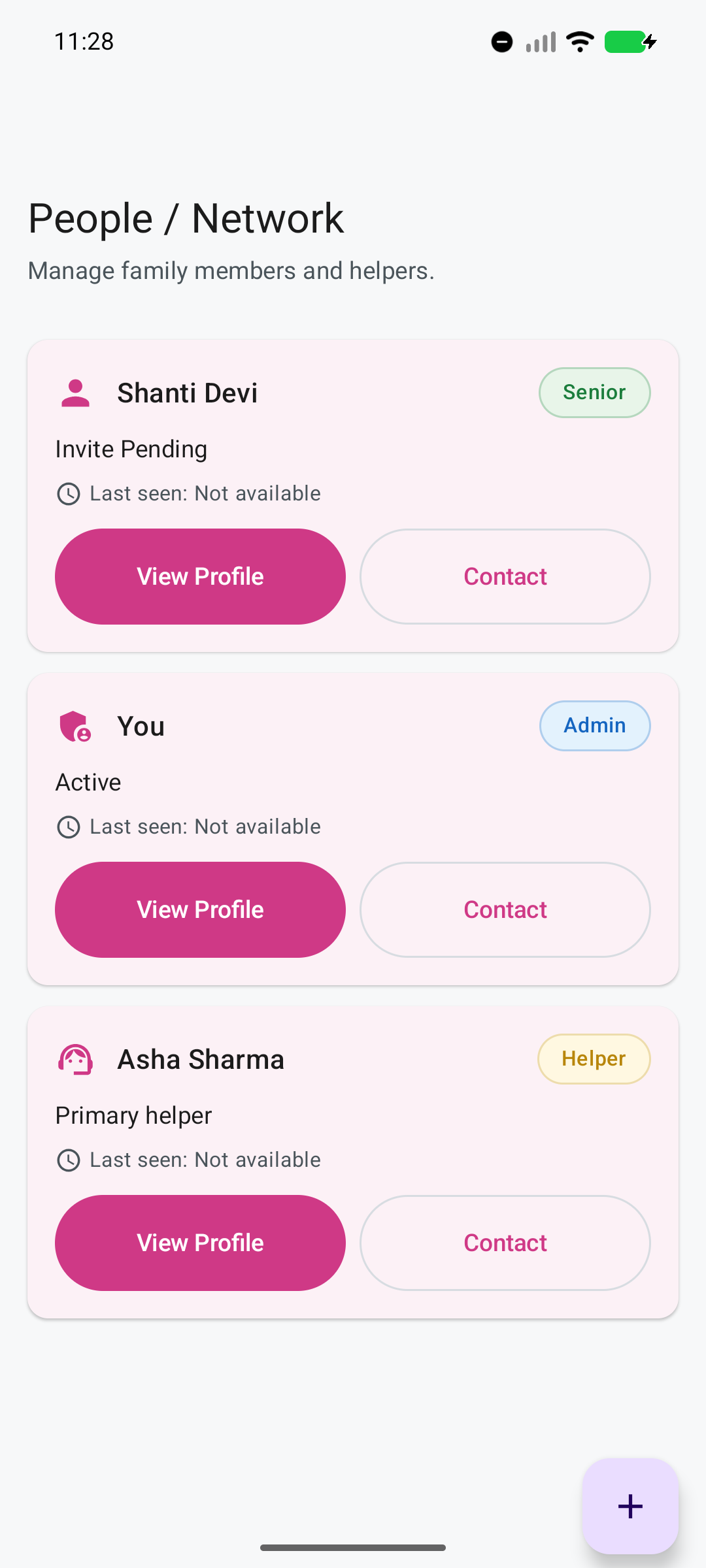
The screenshot shows fictional demonstration data from the current Android app.
Create a check-in, visit, meal, medicine-support task, walk, errand, or household-specific routine.
Give the task to the appropriate Rukshak or family member and keep its time window visible.
Record arrival or completion with an optional note through the app or a bounded response link.
Bring missed, delayed, blocked, or conflicting work forward so the family can choose the next action.
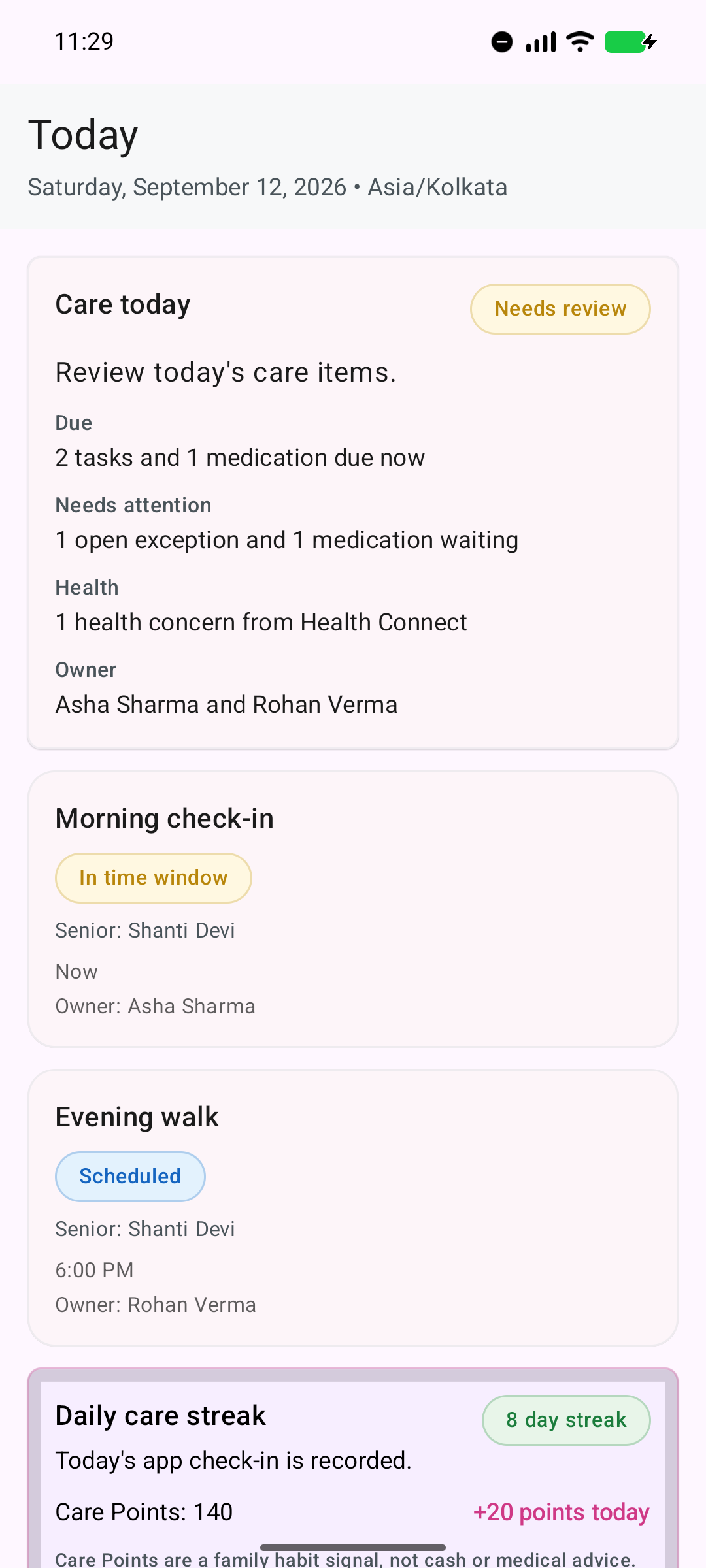
Care today brings due work, open exceptions, medicine state, and responsible people into one family summary.
The full app mode gives a regular helper a dedicated Today view for assigned tasks and a task-detail path for arrival, completion, optional notes, sync state, and work that needs review.
A status reflects information recorded in Ruxum. It is not independent proof that a person arrived or that care was completed correctly.
The household can choose the participation path that fits the helper’s role and comfort with technology.
Designed for a regular participant who needs assigned work, notifications, task details, notes, offline support, and optional Bluetooth pairing.
Designed for lightweight Arrived or Completed responses through a bounded link shared by WhatsApp or SMS.
A Family or Senior phone can start a visible 30-minute Bluetooth session. A paired Rukshak phone can contribute a “helper phone likely nearby” signal during Arrived or Done.
Bluetooth range and detection can vary by device, environment, permissions, and battery settings. The signal is context only, not attendance verification or proof of service.
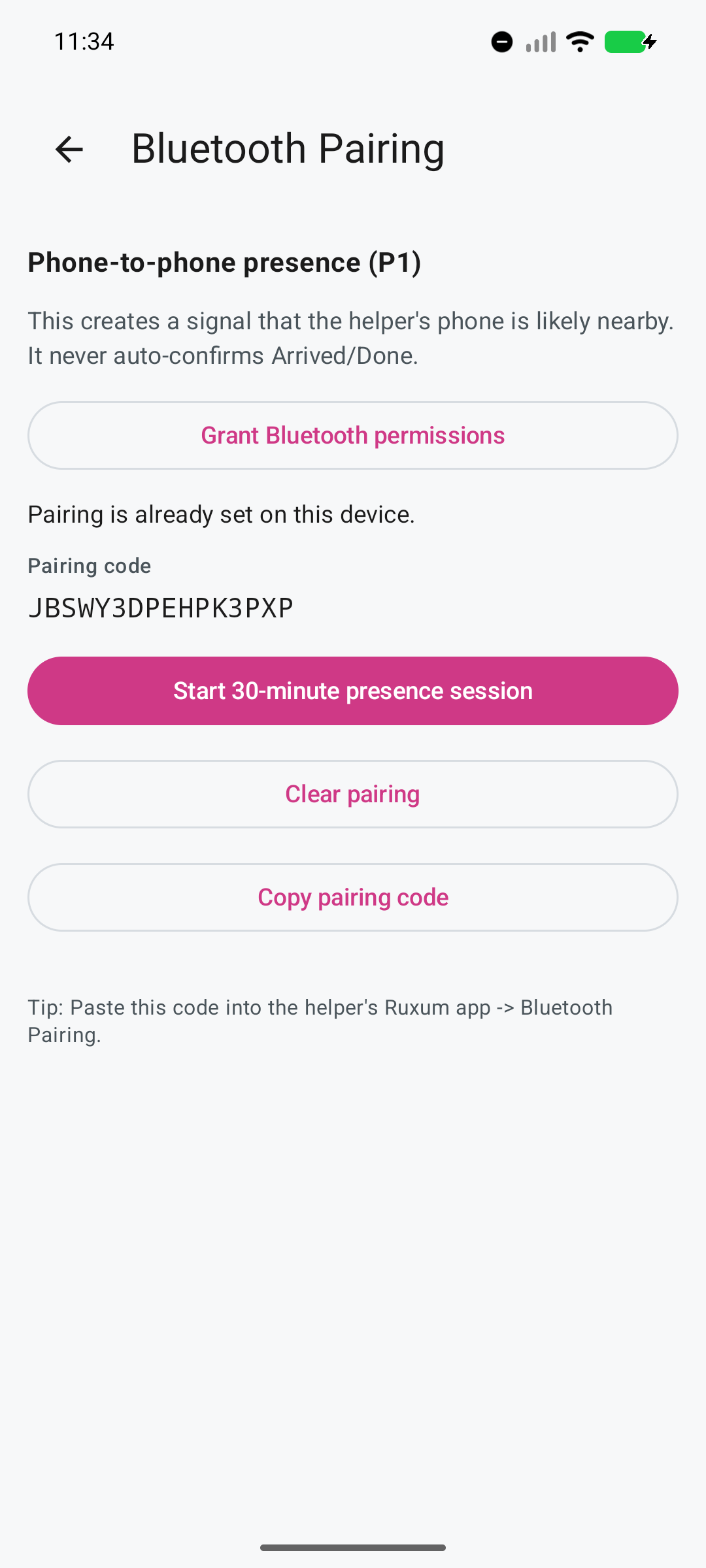
The app states the boundary directly on the screen: presence never auto-confirms Arrived or Done.
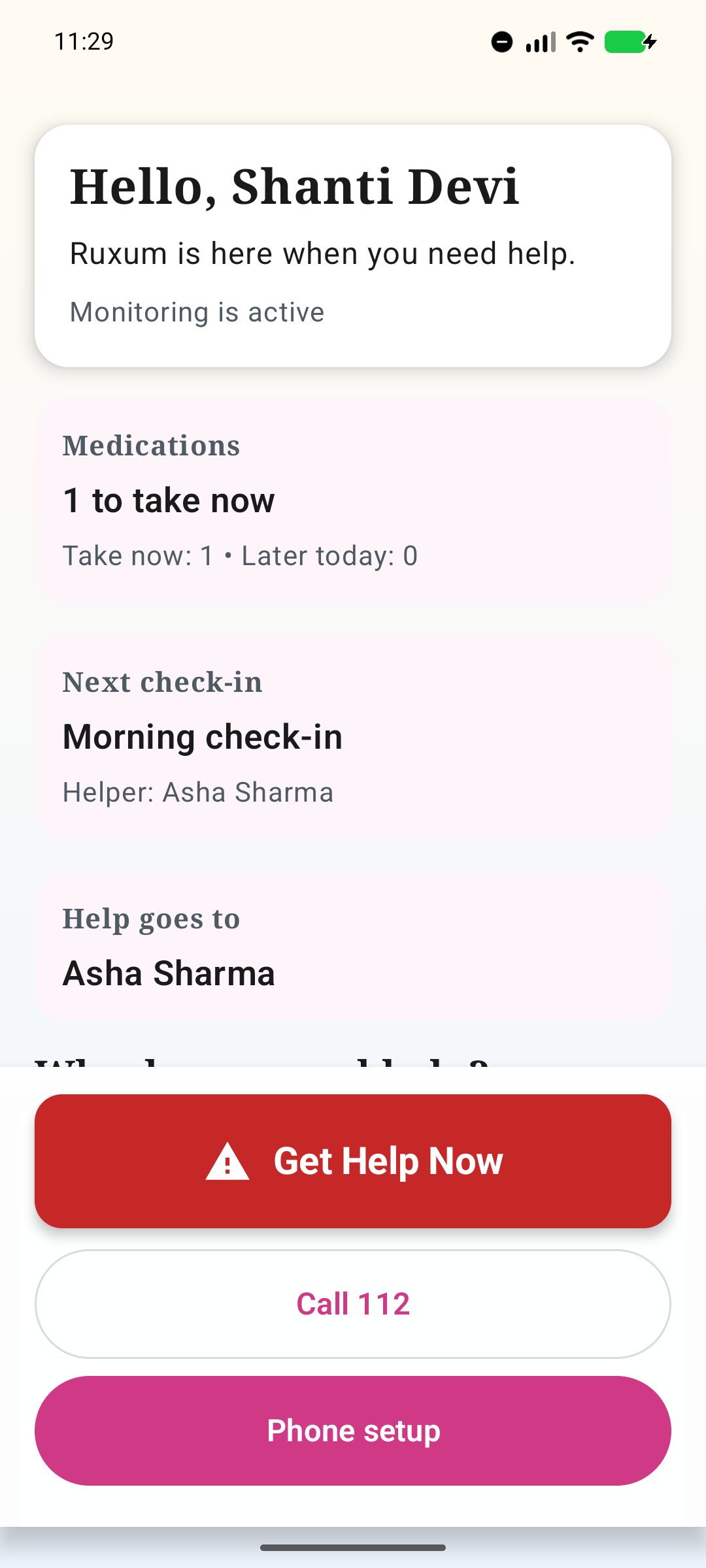
The Family Admin can keep primary and backup contact paths ready without exposing the Senior to the whole setup experience.
The daily Rukshak starter helps a family set arrival checks, completion checks, the primary helper, participation mode, and the person who should be contacted when work cannot be completed.
For an immediate threat to life or safety, call 112 or the appropriate local emergency service. Ruxum does not dispatch responders or guarantee that a helper will answer.
Ruxum helps a family organize people it has chosen. The family remains responsible for selecting, onboarding, supervising, and paying its helpers.
Ruxum does not source or place household helpers, attendants, nurses, or professional caregivers.
Ruxum does not background-check, certify, license, rank, or recommend the people a family adds.
Ruxum does not employ, schedule shifts for, compensate, insure, or supervise a family’s Rukshaks.
Recorded confirmations and phone signals do not prove quality, safety, identity, attendance, or task completion.
A Rukshak workflow does not replace qualified clinical care, diagnosis, treatment, or medical advice.
Primary helpers and responders may be unavailable. Emergency services must remain directly accessible.
Plan recurring check-ins, meals, walks, visits, and medicine support with a time, owner, status, and exception path.
Give adult children, siblings, and local support people one shared care situation across cities.
Coordinate provider details, status, outcomes, report notes, and follow-up around family-arranged services.
Keep prescribed medicine routines, recorded outcomes, stock awareness, and refill handoffs visible.
A Rukshak is a trusted local support person chosen by the family. The role can fit a relative, neighbour, building staff member, household helper, or another known person who handles assigned visits or care tasks.
No. Regular Rukshaks can use the Android app for assigned work, notifications, notes, and offline support. A family can instead use no-install links shared by WhatsApp or SMS for limited arrival and completion confirmations.
A Rukshak can see assigned tasks and their relevant time and status context, add an optional note, and record arrival or completion. Families retain the wider care-network and setup view.
No. Optional Bluetooth pairing can create a bounded signal that the helper’s paired phone was likely nearby during a visible 30-minute session. It does not prove the person was present, prove care occurred, or automatically mark a task Arrived or Done.
No. Ruxum does not recruit, employ, background-check, certify, supervise, pay, or guarantee caregivers or helpers. The family remains responsible for choosing and managing the people it trusts.
The older person and family define the task and information that may be shared.
A named helper accepts the task, time and limits.
The helper records what happened or what could not be done.
The owner or backup takes the next action.
Use the caregiver handoff checklist with the printable coordination packet.
Add other people and optional signals only after the family has one useful coordination loop working.